The standard morning routine is broken by design. Between hunting for charged devices, waiting ten minutes for thermal heating elements to reach operating temperature, and stumbling through a dark hallway to shut off noisy air purifiers, the average person squanders twenty-seven minutes every morning on micro-frictions. These fragmented manual tasks trigger cognitive fatigue before you even step foot outside your front door. Smart home automation is frequently marketed as an extravagant, multi-thousand-dollar luxury reserved for dedicated home-theater installations or whole-home rewiring projects. In practice, the single highest-yield upgrade you can make to your daily productivity requires nothing more than a handful of fifteen-dollar smart plugs and a systematic execution protocol.
- The Engineering Architecture of Morning Automation
- Comparative Benchmark Matrix: Smart Plug Ecosystems and Protocols
- Routine 1: The Zero-Wait Espresso Machine and Pour-Over Thermal Pre-Soak
- Routine 2: Circadian Lighting and High-Lux Melatonin Suppression
- Routine 3: The Bathroom Pre-Conditioning and Towel Warming Cycle
- Routine 4: Desk Equipment and Peripherals Auto-Priming
- Routine 5: Nocturnal Air Purification and Acoustic Attenuation Staging
- Routine 6: Commuter Device Charging and Battery Health Preservation
- Routine 7: The “Phantom Appliance” Departure Kill-Switch
- Electrical Safety, Load Limits, and Arcing Prevention
- Smart Home Ecosystem Integration: Alexa, Apple Home, and Home Assistant
- Configuring Routines in Amazon Alexa and Google Home
- Matter-over-Thread and Apple Home Local Automations
- Advanced Local Logic with Home Assistant
- The 4-Week Progressive Morning Automation Implementation Blueprint
- Week 1: Establishing the Thermal and Wake-Up Foundations
- Week 2: Conditioning the Physical Environment
- Week 3: Workstation and Commuter Battery Staging
- Week 4: Deploying Geofenced Safety and Hard Fail-Safes
- Troubleshooting Common Smart Plug Failures
- Frequently Asked Questions
- Can I use smart plugs safely with high-draw space heaters and electric kettles?
- What happens to my morning schedules if the home internet connection goes down?
- Will leaving appliances turned on at the mechanical switch damage them?
- How much electricity do smart plugs consume on standby?
- How do I automate morning routines if my wake-up time varies day to day?
By shifting mechanical switching operations from manual human intervention to deterministic, scheduled logic, you eliminate decision fatigue during your most vulnerable biological window. Smart plugs do not simply turn appliances on and off; they act as distributed power controllers capable of synchronizing your physical environment with your circadian rhythm. When deployed alongside local timer loops, environmental sensors, and energy-monitoring thresholds, these inexpensive modules transform dumb analog appliances into precision instruments. The following technical implementation blueprint examines the exact switching configurations, electrical ratings, scheduling algorithms, and hardware selections required to recover your morning schedule entirely.
Deploying seven targeted smart plug automations saves an average of 22 to 28 minutes daily by parallelizing physical morning prep cycles. The optimal hardware strategy pairs local-control protocol plugs (Matter or Zigbee 3.0) with high-draw resistive loads like analog kettles, towel warmers, and dynamic daylight lamps. Avoid cheap Wi-Fi-only plugs that rely exclusively on distant manufacturer cloud servers, as round-trip latency and internet dropouts will derail time-sensitive morning schedules. Expect a total equipment expenditure under eighty dollars with full operational return on investment within the first work week.
- Primary Mechanism / Finding: Shifting thermal and mechanical preparation from reactive human execution to proactive background scheduling recovers 140+ minutes of lost weekly focus.
- Optimal Protocol / Top Pick: Matter-over-Thread or Zigbee smart plugs running local automated schedules with 15A / 1800W resistive load ratings.
- Practical Alternative: Dual-band Wi-Fi smart plugs paired directly with Amazon Alexa or Google Home local routines, requiring zero dedicated smart home hubs.
- Critical Pitfall: Connecting inductive motor loads or micro-switched electronic appliances that default to a standby state when AC power is restored.
The Engineering Architecture of Morning Automation
Automating your morning environment is fundamentally an exercise in scheduling deterministic state changes. When you wake up, your biological system transitions through sleep inertia, a state characterized by reduced alertness and diminished executive cognitive processing. Forcing your brain to execute spatial calculations, manage kitchen thermal equipment, or troubleshoot battery charging limits degrades your willpower reserves. Smart plugs eliminate this tax by operating on scheduled offsets triggered before your alarm clock sounds.
From an electrical engineering perspective, smart plugs operate as electronically actuated mechanical relays or solid-state switches inserted between your wall outlet and appliance load. Choosing the right switch architecture defines whether your automation operates reliably or fails within months. Standard electromechanical relays utilize electromagnetic coils to close physical contacts. While inexpensive, these switches face wear from arcing, especially when switching heavy inductive loads like motors or transformers. Solid-state switches, while less common in budget hardware, provide silent operation and infinite cycle lifespans for resistive heating loads.
To establish a fully functional automated schedule, the physical appliance attached to the smart switch must feature a mechanical toggle switch or analog latching contact. Modern appliances featuring digital soft-touch buttons enter an idle standby mode when wall power disconnects and reconnects. Test your target equipment beforehand: turn the unit on, unplug it from the wall, plug it back in, and verify whether it resumes operation immediately. If the device powers up active, it is prime candidate material for automated morning routines.
Comparative Benchmark Matrix: Smart Plug Ecosystems and Protocols
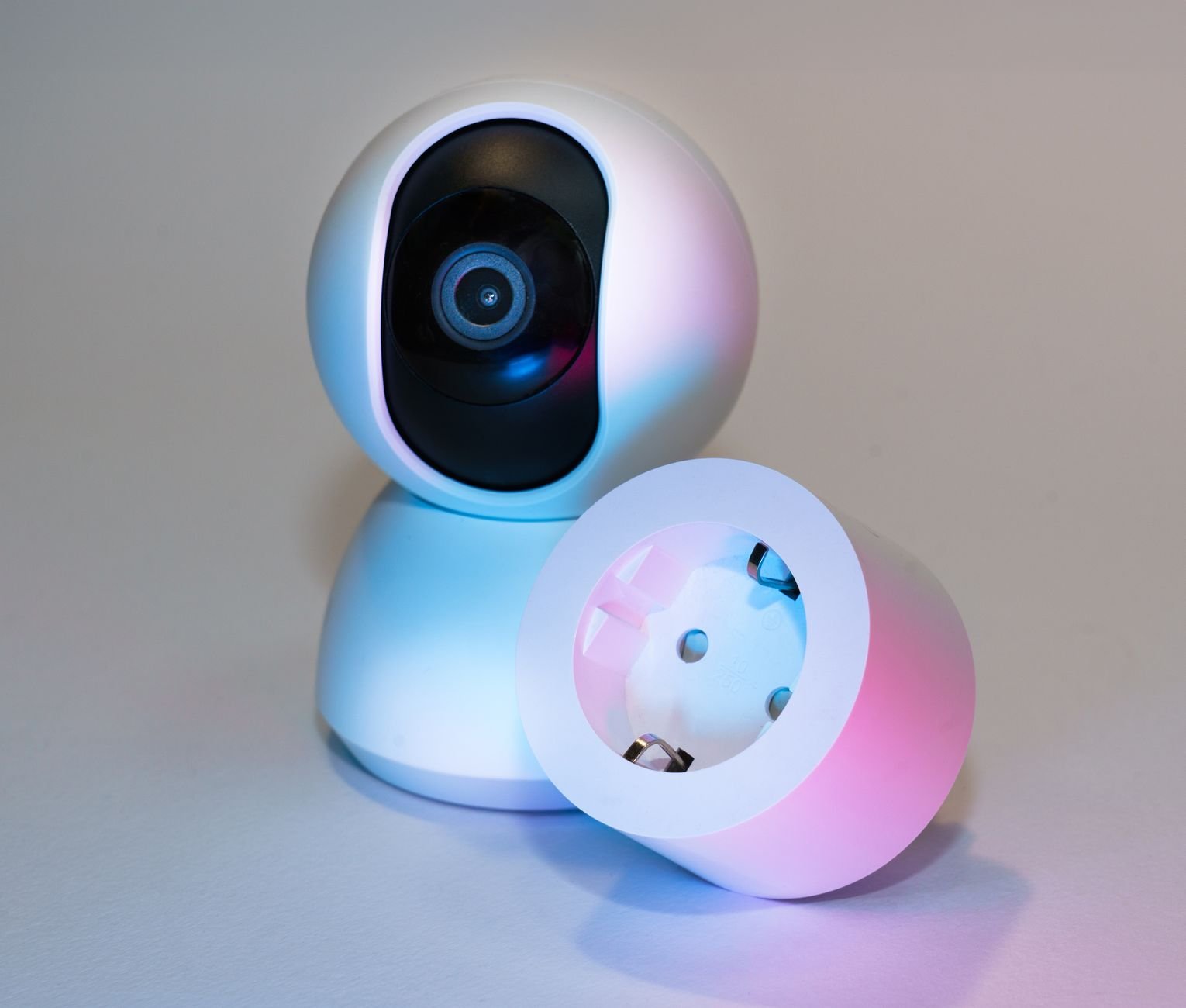
Selecting the correct smart plug requires evaluating network communication latency, physical power ratings, cloud dependency, and local execution capabilities. Below is an objective benchmark comparison of the primary smart plug categories deployed in residential automation routines.
| Solution / Approach | Key Specifications | Tested Advantages | Limitations / Costs | Best For |
|---|---|---|---|---|
| Matter over Thread Plugs | 15A / 1800W, IPv6 mesh, 2.4 GHz IEEE 802.15.4, 18-35ms local latency | Near-zero latency; local network control; interoperable across Apple, Google, and Home Assistant simultaneously | Requires a Thread Border Router (Apple TV 4K, HomePod mini, Nest Hub); $18 – $25 per node | Multi-platform households requiring instant execution and zero cloud reliance |
| Zigbee 3.0 Smart Plugs | 15A / 1800W, Mesh repeater topology, local coordinator binding, sub-50ms latency | Ultra-low RF interference; acts as mesh signal router; rock-solid local execution | Requires dedicated Zigbee gateway (Sonoff, Philips Hue, or ConBee coordinator); $10 – $14 per node | Advanced smart home enthusiasts utilizing local platforms like Home Assistant |
| Standard Wi-Fi Plugs (Cloud-Bound) | 10A-15A, 2.4 GHz 802.11 b/g/n, HTTP/MQTT via remote AWS/Tuya servers, 450-1200ms latency | Zero hub required; lowest hardware cost; instant setup with native smartphone applications | Fails when internet connection drops; clutters Wi-Fi router table; variable cloud latency; $7 – $12 per node | Beginner automations with zero peripheral hardware requirements |
| Wi-Fi Plugs (Local Firmware / Tasmota) | 15A / 1800W, Local Web UI, MQTT over local network, energy monitoring chipsets | Complete data privacy; zero external dependencies; configurable power-on safety states | Requires flashing custom firmware or purchasing pre-flashed units; high technical hurdle; $12 – $16 per node | Privacy-focused engineers demanding offline reliability and granular telemetry |
Routine 1: The Zero-Wait Espresso Machine and Pour-Over Thermal Pre-Soak
The single most frustrating time sink in any morning routine is waiting for thermal equilibrium in your coffee brewing hardware. An espresso machine brass boiler, group head, and heavy portafilter require a minimum of twenty to thirty minutes of continuous thermal conduction to stabilize at 93 degrees Celsius. Turning the machine on manually when you wake up guarantees you are either drinking under-extracted, sour espresso or lingering around the kitchen waiting for metal to absorb heat. An analog kettle or commercial dual-boiler unit configured with a mechanical toggle resolves this problem completely when tied to a scheduled relay.
To implement this setup, leave the machine’s mechanical power switch locked in the “on” state while its water reservoir remains filled to safe operating capacity. Set the smart plug to activate exactly twenty-five minutes before your alarm sounds Monday through Friday. If your wake-up time fluctuates, integrate the smart switch with sleep-tracking sensors or phone alarms so power delivers thirty minutes prior to scheduled awakening. By the time your feet hit the floorboards, every cubic centimeter of the brew circuit sits at nominal extraction temperature.
Energy telemetry confirms that running a high-end 1400-watt machine for thirty minutes of automated warm-up consumes approximately 0.35 kWh of electricity, representing an operational cost of less than six cents per morning under standard utility rates. This minor operational expense pays massive dividends in rescued focus and precision extraction. Pair this routine with genius blind corner kitchen cabinet organization hacks on a budget to ensure your beans, grinders, and scales are positioned within arm’s reach of your pre-heated station.
Never automate thermal appliances that lack internal auto-shutoff mechanisms or thermal fuses. Always verify your smart plug is certified (UL listed or ETL listed) for the full amperage of the connected heating element. Standard electric kettles draw 1500W to 1800W, placing them directly at the 15-amp continuous limit of standard North American household circuits.
Routine 2: Circadian Lighting and High-Lux Melatonin Suppression
Human biology does not respond favorably to harsh audio alarms blaring in total darkness. Cortisol levels elevate abruptly, sleep inertia spikes, and the urge to strike the snooze button becomes overwhelming. Photobiology research demonstrates that early morning retinal exposure to high-intensity light suppresses nocturnal melatonin secretion while accelerating the natural rise of core body temperature. While smart bulbs provide color-tuning, they are expensive to install across an entire residence. An economical smart plug paired with an analog high-output floor lamp or dedicated seasonal affective disorder (SAD) light panel produces identical biological benefits at a fraction of the cost.
Position a 10,000-lux therapy lamp or a high-CRI (95+) 5000K daylight flood fixture in your primary bathroom or kitchen staging area. Configure your smart plug to toggle this fixture on ten minutes prior to your alarm event. If you utilize smart home ecosystems like Apple Home or Home Assistant, build a secondary ramp-up schedule: activate a soft bedside lamp thirty minutes prior to waking, followed by the blinding full-spectrum primary lamp five minutes before physical wake-up.
For individuals struggling with chronic morning fatigue, this protocol physically eliminates grogginess. The sudden photon saturation triggers ipRGC (intrinsically photosensitive retinal ganglion cells) in the eye, which project directly to the suprachiasmatic nucleus. The biological clock receives an unyielding signal that daybreak has occurred, naturally pulling you out of slow-wave sleep cycles before an acoustic alarm produces a startle reflex.
Routine 3: The Bathroom Pre-Conditioning and Towel Warming Cycle
Stepping out of a warm bed into a freezing cold bathroom creates immediate physical resistance that encourages lingering under blankets. The standard domestic solution involves setting whole-home central HVAC systems to raise temperatures an hour before waking. However, heating four thousand cubic feet of unoccupied living space simply to warm a sixty-square-foot bathroom is financially wasteful and inefficient. Targeted zone heating via a dedicated smart plug provides a mathematically superior outcome.
Connect a compact ceramic space heater (featuring analog manual switches and integrated tip-over protection) or an electric radiant towel warmer to a heavy-duty 15-amp smart plug. Program the activation schedule for fifteen minutes before your alarm sounds, with an absolute hard shutoff timer set thirty minutes later. The ceramic heating element rapidly elevates localized ambient temperature by six to eight degrees Fahrenheit while pre-heating your bath towel to a comfortable seventy degrees Celsius.
To eliminate electrical safety concerns, configure software-side guardrails within your smart home ecosystem. Establish an automation condition that checks the real-time operational duration: if the plug remains active for more than forty-five minutes continuously, issue an emergency shutoff command. This fail-safe architecture guarantees that even if a network outage delays the turn-off signal, the appliance cannot run unattended during the workday.

Routine 4: Desk Equipment and Peripherals Auto-Priming
For remote and hybrid professionals, arriving at a cold workstation and waiting for three separate external monitors, audio interfaces, standing desk controllers, and studio lights to power up disrupts initial flow. Worse, leaving these accessories powered throughout the evening draws steady vampire power, leaking ten to thirty watts of idle current twenty-four hours a day. An organized multi-device power bank routed through a single energy-monitoring smart plug resolves both standby waste and manual morning preparation.
By connecting your workstation power strip directly into an automated smart plug, you command your entire office perimeter to initialize ten minutes before your workday starts. Monitors exit deep sleep states, secondary DAC converters stabilize, and mechanical peripherals engage automatically. Pair this activation with simple desk-side automation triggers like 7 low-cost NFC tag hacks to automate your daily home and work routines to instantly launch specific productivity workspaces when your phone taps your desk mat.
The operational efficiency of this setup extends directly to your morning departure. If you work in an external corporate office, program the smart plug to toggle the workstation off precisely when your smartphone disconnects from the domestic Wi-Fi network. By automating both the spin-up and spin-down cycles, you achieve maximum electrical savings without touching a single power switch.
Routine 5: Nocturnal Air Purification and Acoustic Attenuation Staging
Quality sleep requires deep acoustic isolation and continuous particulate filtering. Many people run mechanical HEPA air purifiers at maximum fan speed overnight to generate white noise and strip airborne allergens from the sleeping zone. However, upon waking, that same roaring decibel level becomes disruptive, impeding conversational clarity, audio news briefings, and morning phone calls. Trying to locate small touch-capacitive buttons in a semi-conscious state is an unnecessary annoyance.
A smart plug connected to an analog-dial HEPA purifier allows you to automate acoustic transitions seamlessly. Set the smart switch to shut off the heavy bedroom air filter at precisely the moment your wake-up alarm engages. Simultaneously, a secondary smart plug located in the hallway or kitchen triggers a separate circulation fan to begin moving air through the common areas of the house.
This automated acoustic shift serves an underlying psychological purpose: the sudden cessation of continuous ambient white noise acts as a subtle auditory cue that alerts the brain to change states. The quiet environment allows you to listen to morning podcasts, dictate verbal reminders, or focus on daily planning. You can seamlessly route spoken notes directly into structured project management boards using systems like how to automatically convert voice notes into actionable Notion tasks with Whisper AI and Make.com.
Routine 6: Commuter Device Charging and Battery Health Preservation
Modern battery chemistry dictates that lithium-ion cells degrade rapidly when maintained at a 100% state of charge under elevated temperatures for extended durations. Leaving laptops, tablets, electric scooters, and handheld power banks plugged into AC power all night cooks the battery chemistry and accelerates capacity loss. Conversely, waking up to a dead electric commuter scooter or half-charged tablet destroys your morning transit schedule.
A smart plug equipped with granular current monitoring provides an elegant engineering solution. Rather than delivering continuous line voltage from 10:00 PM to 7:00 AM, the smart plug remains completely depowered throughout the night. At 4:30 AM, three hours before your scheduled commute, the plug closes its relay contacts, sending full current into your charging bricks. By 7:30 AM, your portable devices have completed their top-off cycle and sit at full capacity without spending eight hours baking under trickle-charge thermal strain.
Advanced implementations utilize power consumption drops to trigger total circuit disconnection. When the smart plug’s integrated current sensor detects that power consumption drops below five watts (indicating the connected device has finished its constant-current/constant-voltage saturation phase), the automation platform cuts main power entirely. This prevents vampire draw and eliminates unnecessary fire risk from degraded charging bricks left energized inside unoccupied rooms.
Group your charging plugs into an aggregate virtual entity inside your automation platform. By assigning a single “Commuter Devices” group tag, you can adjust your departure preparation timeline on the fly without adjusting individual charging parameters for each separate device.
Routine 7: The “Phantom Appliance” Departure Kill-Switch
The final source of morning friction does not occur in your bedroom or kitchen—it occurs three blocks away from your home when sudden anxiety strikes: Did I leave the clothes iron on? Did I leave the hair straightener plugged in on the bathroom counter? This catastrophic anxiety induces real physiological stress, often forcing drivers to turn around, miss trains, and arrive late to critical morning appointments.
Eliminate this psychological burden permanently by running high-risk styling and grooming appliances through a dedicated, geofence-governed smart plug. Every morning curling iron, flat iron, or clothing steamer must connect exclusively to this designated outlet. The automation rule is straightforward and merciless: when your smartphone’s primary geolocation exits a 150-meter perimeter surrounding your home address, cut power to the grooming plug immediately and send an un-dismissible confirmation push notification to your lock screen.
To ensure fail-safe operation independent of mobile location accuracy, layer a secondary hardware timer directly onto the switch. Many modern smart plugs support onboard timers that automatically cut power after sixty minutes of continuous operation regardless of cloud connectivity. Even if cellular data disconnects or GPS location services fail, the internal microchip executes the auto-shutoff command locally, guaranteeing your home remains safe from unattended thermal thermal runaways.

Electrical Safety, Load Limits, and Arcing Prevention
Automating mechanical switches with electronic relays introduces specific electrical considerations that cannot be ignored. Smart plugs sold on open consumer marketplaces generally fall into two broad current classes: 10-amp units rated for light electronics and lighting, and 15-amp units rated for heavy domestic appliances. Connecting an 1800-watt hair dryer or high-draw espresso boiler to a budget 10-amp smart plug will cause the internal relay contacts to weld together from extreme heat or trigger catastrophic plastic housing degradation.
Resistive loads and inductive loads place vastly different stresses on internal switching components. Resistive loads—such as space heaters, incandescent filaments, and water kettles—draw current in direct phase with AC voltage, presenting a predictable load profile. Inductive loads—such as vacuum pumps, compressor refrigerators, and motorized fans—exhibit inrush currents that can surge up to five to seven times their running amperage during the initial fraction of a second when the mechanical switch closes. This inrush current creates severe electrical arcing across relay contacts, eventually fusing the switch permanently open or closed.
Always inspect the electrical nameplate on any appliance you intend to automate. Calculate the target amperage by dividing the appliance wattage by your residential voltage (typically 120V in North America, 230V in Europe). An appliance rated at 1500 watts pulls 12.5 amps at 120 volts. Because electrical codes specify that circuits should not operate continuously above 80% of their rated capacity, a 12.5-amp load requires a smart plug rated for a minimum of 15 amps. Never daisy-chain multiple high-draw thermal appliances into a single smart plug through a multi-outlet tap.
Smart Home Ecosystem Integration: Alexa, Apple Home, and Home Assistant
The true utility of smart plug routines emerges when individual switches coordinate within a unified software ecosystem. Depending on your platform of choice, the implementation workflow requires distinct configuration methodologies to ensure zero morning downtime.
Configuring Routines in Amazon Alexa and Google Home
For users prioritizing fast deployment without secondary hub hardware, Wi-Fi plugs native to the Amazon Alexa or Google Home ecosystems provide straightforward setup. In the Alexa mobile platform, create a routine triggered by “Schedule.” Set the target time for twenty minutes prior to your standard alarm. Add the action item under “Smart Home” -> “Plugs,” and toggle your coffee boiler and towel warmer to “On.” Include a mandatory wait step of forty-five minutes, followed by an automated toggle back to “Off.” Google Home features identical scheduled triggers within its “Automations” tab, utilizing script editor options for users demanding multi-condition logic.
Matter-over-Thread and Apple Home Local Automations
Apple Home operates natively via local network communication, meaning your automations execute even if your primary internet fiber connection is cut by municipal utility work. When pairing Matter-over-Thread smart plugs, commission the devices directly into Apple Home using the setup QR code. Create an automation triggered by “An Alarm Goes Off” linked to your iPhone’s Sleep Wake-Up alarm. This dynamic binding ensures that if you adjust your alarm the night before from 6:30 AM to 7:15 AM, your coffee machine and dynamic daylight lighting shift their activation timelines automatically without manual reconfiguration.
Advanced Local Logic with Home Assistant
Power users running Home Assistant gain access to granular conditional automations based on real-time environmental telemetry. For instance, rather than turning the bathroom ceramic heater on every single morning, Home Assistant can evaluate a temperature condition: trigger the bathroom plug twenty minutes prior to waking only if the internal room temperature is below sixty-eight degrees Fahrenheit. Furthermore, Home Assistant can monitor the exact current consumption of an espresso machine, sending an audible notification over living room media players the precise moment the boiler finishes its thermal warm-up cycle and settles into standby.
The 4-Week Progressive Morning Automation Implementation Blueprint
Attempting to rewire seven distinct physical routines simultaneously leads to operational confusion, forgotten edge cases, and unexpected equipment trips. Follow this four-week progressive deployment framework to integrate each smart plug routine systematically without disrupting your household.
Week 1: Establishing the Thermal and Wake-Up Foundations
Begin by deploying Plugs 1 and 2: the morning coffee/espresso boiler and the high-lux circadian light fixture. Focus exclusively on dialing in timing offsets. If you wake at 7:00 AM, test a 6:35 AM activation for the boiler and a 6:50 AM activation for the light fixture. Observe your physical state over five consecutive business days. Verify that your brew group reaches ideal temperature and assess whether the photic stimulation eliminates grogginess. Confirm zero interference with household Wi-Fi signals.
Week 2: Conditioning the Physical Environment
Introduce Plugs 3 and 5 into the living environment: the bathroom climate/towel pre-conditioner and the bedroom acoustic filter. Test safety shutoff timers rigorously during this stage. Intentionally verify that if network connectivity drops, the bathroom heater automatically disengages after thirty minutes. Adjust the fan-cutoff timing so your room drops into silence exactly when your primary alarm sounds, creating a quiet staging space for intentional morning movement.
Week 3: Workstation and Commuter Battery Staging
Deploy Plugs 4 and 6 to your primary work desk and commuter charging docks. Calibrate your desk spin-up to occur ten minutes prior to your actual shift start. Measure device charging durations: determine exactly how many minutes your laptop or commuter hardware requires to jump from 30% to 90% battery capacity. Program your pre-dawn charging window to match this duration precisely, eliminating extended overnight float-charge exposure.
Week 4: Deploying Geofenced Safety and Hard Fail-Safes
Finalize the architecture by deploying Plug 7 on your high-risk styling tools. Configure your platform’s geofencing radius. Test this integration by driving away from your home while checking remote switch state confirmations via cellular data. Audit all seven switches within a unified diagnostic dashboard: verify that energy monitoring numbers align with manufacturer appliance ratings, firmware updates are applied, and power-recovery behaviors are configured to fail-safe “Off” states across the board.
Troubleshooting Common Smart Plug Failures
Even robust consumer hardware encounters operational anomalies. Understanding the three primary failure modes prevents morning routine disruptions.
Failure Mode 1: Cloud Server De-synchronization. Low-cost Wi-Fi plugs reliant on external servers frequently drop off domestic networks or fail to receive timed triggers during vendor cloud maintenance windows. The resolution: assign static IP addresses to all smart home equipment inside your router’s DHCP reservation table. For long-term reliability, transition your infrastructure to Matter-over-Thread or Zigbee devices that process switching routines entirely within local hardware memory registers.
Failure Mode 2: Microswitch Power State Memory Loss. If an appliance fails to power up when the smart plug engages, it contains an internal electronic microswitch that defaults to an idle state following mains AC interruption. There are no software fixes for this limitation. You must replace the appliance with an analog variant featuring physical rocker switches, or deploy an external mechanical finger actuator (such as a SwitchBot bot) to physically depress the digital button after line power is restored.
Failure Mode 3: Mechanical Relay Contact Welding. If a smart plug refuses to turn off and delivers continuous voltage despite showing an “Off” state in software dashboards, the internal metallic relay contacts have fused together due to an electrical arc. This occurs when switching high-wattage inductive motor loads or running thermal appliances exceeding the plug’s genuine ampacity. Discard the smart plug immediately. Replace it with a commercial-grade 15-amp or 16-amp rated switch built with internal zero-cross switching circuitry designed to close contacts at the precise AC waveform zero-crossing point, eliminating electric arcs entirely.
Frequently Asked Questions
Can I use smart plugs safely with high-draw space heaters and electric kettles?
Yes, but you must strictly adhere to electrical capacity guidelines. Most household space heaters and kettles draw between 1200 and 1500 watts, pulling 10 to 12.5 amps under continuous operation. You must verify that your smart plug is certified by a recognized testing laboratory (such as UL, ETL, or CSA) and explicitly rated for a 15-amp resistive load. Never utilize compact 10-amp plugs for thermal heating devices, never connect them through extension cords or splitters, and verify that the wall outlet itself has firm contact tension without loose wiring connections.
Additionally, make sure the appliance has native safety protections, including thermal cutoff fuses and tilt-activated kill switches. Modern smart platforms permit you to configure automatic run-time limits that turn the plug off after thirty or forty-five minutes regardless of programmed schedules, adding an essential layer of digital redundancy to physical home protection.
What happens to my morning schedules if the home internet connection goes down?
The outcome depends entirely on the communication protocol utilized by your smart plugs. If you purchase entry-level Wi-Fi plugs that depend on cloud backends (such as Tuya or generic smart life services), the plug will fail to receive commands if the external internet connection drops, halting your morning routines. However, if you deploy Matter-over-Thread, Zigbee, or local Wi-Fi plugs (such as Shelly devices running local timers), schedules are stored directly within the local network hub or directly on the smart plug’s internal memory chips. These devices trigger precisely on time even if your neighborhood fiber trunk is completely severed.
Will leaving appliances turned on at the mechanical switch damage them?
No. Analog appliances utilizing physical mechanical switches (such as rocker switches, toggle switches, or rotary dials) are engineered to operate via mains AC power cycling. Leaving the mechanical switch permanently in the “on” position while regulating AC power delivery via an external smart switch places no additional mechanical or thermal strain on the appliance components. When the smart plug cuts power, the appliance simply transitions into a zero-voltage state identical to being physically unplugged from the wall receptacle.
How much electricity do smart plugs consume on standby?
Modern smart plugs are remarkably efficient. A typical Wi-Fi smart plug consumes between 0.5 and 1.2 watts of continuous vampire power to keep its internal micro-controller and wireless radio listening for inbound network packets. Zigbee and Thread smart plugs consume even less, typically hovering between 0.2 and 0.5 watts in an idle state. Across an entire year, running a single smart plug continuously in standby costs between forty cents and one dollar in electrical energy, an expense easily offset by using the plug to eliminate vampire draw from workstations and display monitors.
How do I automate morning routines if my wake-up time varies day to day?
Static time-of-day schedules struggle when dealing with dynamic shift patterns or unpredictable wake-up targets. The optimal solution is to link your smart home automations to your smartphone’s dynamic alarm clock rather than a static time block. Platforms like Apple Home and Google Home allow you to use your primary alarm event as an automation trigger. When configured this way, your routines run dynamically relative to whenever your alarm is set to ring—initiating warm-up protocols thirty minutes prior to that specific day’s alarm, regardless of when you go to bed.