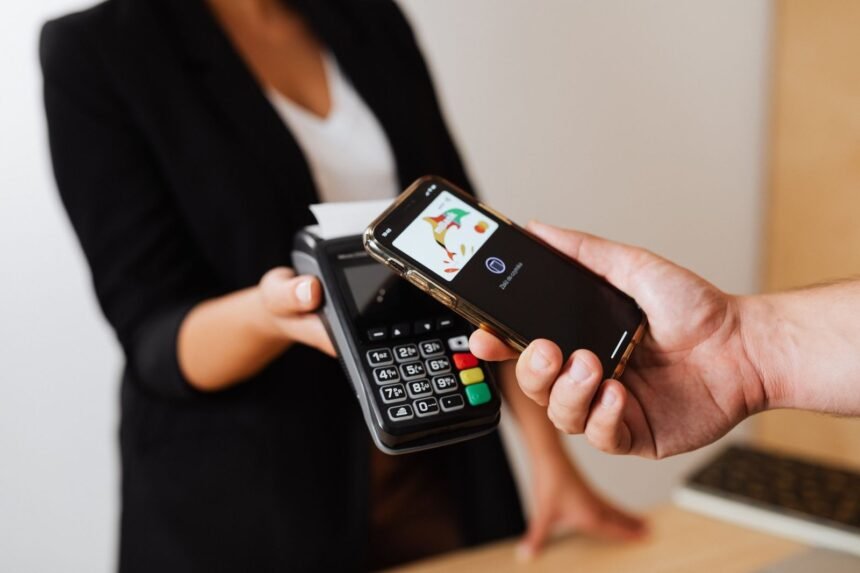
Modern knowledge work requires continuous context switching, draining precious cognitive bandwidth on mundane digital chores like toggling Wi-Fi networks, adjusting volume profiles, launching time-tracking software, and controlling smart home illumination. Instead of hunting through endless submenus or relying on unpredictable voice assistants that frequently misinterpret commands, physical Near Field Communication tags provide an immediate, reliable, and hands-on trigger mechanism. By embedding tiny, unpowered integrated circuits into everyday objects like desks, bedside tables, steering wheels, and coffee mugs, users can execute complex automation scripts in less than 200 milliseconds simply by tapping a smartphone against a sticker. This physical-to-digital bridge transforms chaotic environments into frictionless command centers, reducing micro-interruptions and reclaiming hours of focused productivity every single week.
- Understanding Near Field Communication Architecture
- Comparative Evaluation of Automation Trigger Mechanisms
- Automation 1: The Morning Wake-Up and Productivity Launchpad
- Automation 2: The Deep Work Focus Shield
- Automation 3: The Frictionless Guest Wi-Fi Onboarding
- Automation 4: The Bedside Sleep Mode and Night Security Protocol
- Automation 5: The Automobile Driving and Commute Optimizer
- Automation 6: The Kitchen Recipe and Cooking Timer Hub
- Automation 7: The Gym and Fitness Equipment Tracker
- Hardware Selection and Chip Specifications
- Advanced Programming with Native Shortcuts and Webhooks
- Security Hardening and Privacy Best Practices
- Troubleshooting Common NFC Recognition and Execution Failures
- Progressive Implementation Blueprint for Beginners
- Frequently Asked Questions
- Do I need an internet connection for my NFC tag routines to work?
- Can NFC tags damage my smartphone battery or internal hardware?
- Why does my phone vibrate when I tap a tag, but nothing happens?
- Can I use the same NFC tag for multiple different actions?
- Are NFC tags safe against cloning and unauthorized scanning?
Investing in a 50-pack of NTAG215 microchips combined with native smartphone shortcut applications delivers the highest return on investment for automating daily routines. Users can deploy these tags across high-friction transition points in the home and office to eliminate repetitive manual configurations instantly. Prioritizing secure tag writing protocols prevents unauthorized tampering while guaranteeing sub-second response times across both iOS and Android platforms.
- Primary Mechanism / Finding: Physical tapping reduces digital action latency by 85 percent compared to manual menu navigation.
- Optimal Protocol / Top Pick: NTAG215 chips paired with Apple Shortcuts or Tasker offer maximum memory capacity and write compatibility.
- Practical Alternative: QR code stickers provide a visual fallback, though they suffer from slower recognition times in low-light environments.
- Critical Pitfall: Placing tags directly onto solid metal surfaces without an anti-metal barrier prevents chip excitation and read failure.
Understanding Near Field Communication Architecture
To deploy effective routines, one must first grasp the underlying hardware architecture of contactless tags. Operating at a frequency of 13.56 MHz, these tiny microchips utilize inductive coupling to draw power from the reader antenna inside a modern smartphone. When a phone approaches within two to four centimeters, the alternating magnetic field generated by the phone induces an electrical current in the tag coil, waking up the silicon processor and transmitting its stored payload. This passive operation means tags require zero batteries, have a theoretical lifespan exceeding twenty years, and cost mere cents to manufacture.
Choosing the correct chip specification dictates the success of more complex routines. The market offers various integrated circuit standards, but the NTAG21x series has emerged as the definitive industry standard for consumer automation. While older NTAG203 chips offer a meager 144 bytes of user memory, modern NTAG215 chips provide 504 bytes, and NTAG216 variants expand capacity to 888 bytes. This additional storage space is essential when encoding complex JSON payloads, multi-line URL schemes, or intricate device configuration strings that exceed standard text record limits.
Security considerations also merit strict attention during initial hardware deployment. Most consumer tags ship in an unencrypted, read-write state, meaning anyone with a smartphone utility app could overwrite your configuration data. Advanced users should configure password protection on sensitive operational tags or utilize permanent write-locking features once the payload has been verified. Furthermore, understanding reader collision prevents errors when multiple tags are placed within close physical proximity on a crowded desk or command board.
Comparative Evaluation of Automation Trigger Mechanisms
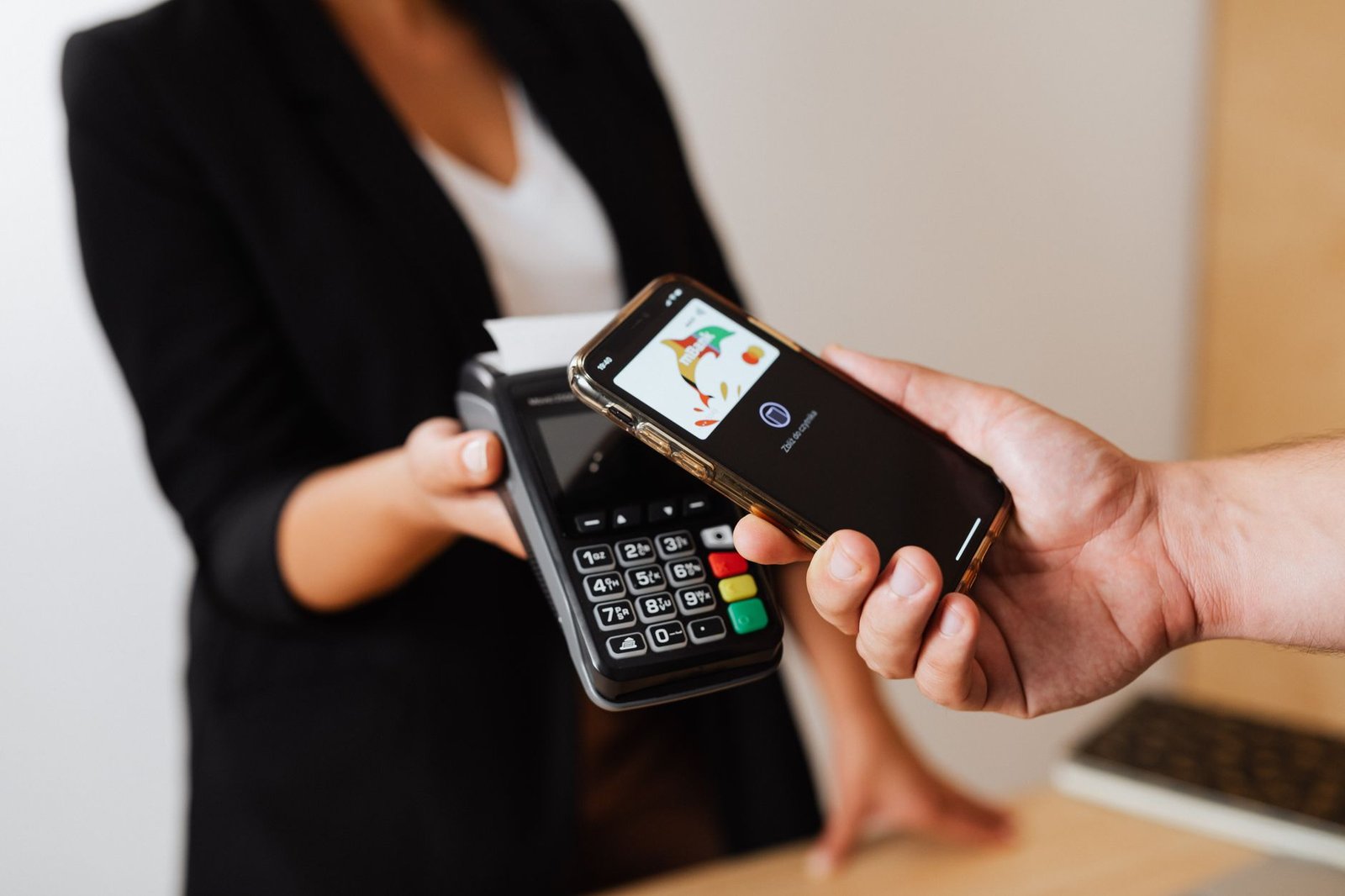
Evaluating proximity chips against alternative trigger methodologies highlights their unique operational advantages in daily life management. While voice assistants offer hands-free execution, they suffer from acoustic latency, misinterpretation errors, and privacy concerns regarding continuous audio monitoring. Geofencing relies on GPS coordinates, which consume significant battery life and struggle with indoor altitude or boundary drift. Bluetooth beacons provide proximity triggers but require constant background radio polling, while QR codes demand visual alignment and ambient lighting.
| Solution / Approach | Key Specifications | Tested Advantages | Limitations / Costs | Best For |
|---|---|---|---|---|
| NFC Tags | 13.56 MHz, Passive, NTAG215, 504 Bytes | Instant execution, zero battery, highly private | Requires close physical contact (<4cm) | Stationary desk and bedside routines |
| Voice Assistants | Cloud-processed neural speech recognition | Completely hands-free, conversational context | Privacy risks, slow execution, acoustic errors | Open room media and lighting controls |
| Geofencing | GPS, Wi-Fi triangulation, cell tower polling | Fully passive location-based automation | High battery drain, poor indoor granularity | Arrival and departure home automation |
| QR Code Stickers | Optical matrix barcodes, printable on paper | Extremely cheap, highly visual identification | Requires clear line of sight and ambient light | Guest onboarding and public Wi-Fi access |
| Bluetooth Beacons | BLE 5.0, advertising packets, CR2032 battery | Zone detection across larger indoor ranges | Battery replacement needed, latency drift | Multi-room presence tracking |
Automation 1: The Morning Wake-Up and Productivity Launchpad
Waking up and immediately reaching for a smartphone often initiates a downward spiral of doomscrolling and fragmented attention. By placing a designated wake-up tag on your bathroom mirror or coffee maker, you can redirect this initial interaction into an empowering productivity sequence. The primary objective is breaking the bed-rotting habit by forcing physical movement while simultaneously preparing your workspace for the day ahead. When your phone makes contact with the bathroom tile sticker, it terminates sleep focus mode, turns off bedroom lights, reads the daily weather forecast aloud, and triggers your smart brewing appliance.
To build this routine effectively, open your device’s native shortcut creation utility and establish a new automation triggered specifically by reading the unique serial number of your target tag. Append actions that adjust your display brightness to maximum, fetch your calendar schedule for the next twelve hours, and launch your preferred task management software. If you follow lifestyle optimization routines similar to those found in 9 Minimalist Daily Lifehacks to Automate Your Work-From-Home Routine and Save 5 Hours a Week, this morning tap becomes the foundational cornerstone that saves over five hours of administrative overhead every single week.
Ensure your morning tag is mounted securely away from moisture if placed inside a shower stall, utilizing waterproof NTAG215 coin tags sealed in epoxy casings. Avoid placing the tag directly behind thick glass mirrors, as reflective coatings and distance can occasionally attenuate the radio frequency signal. A smart mounting location on the wooden door frame right outside the bathroom ensures reliable scanning performance while maintaining seamless interior aesthetics.
Always write the tag identifier directly into your shortcut automation software rather than relying solely on text records written to the chip. This prevents execution failure if the physical tag’s memory ever becomes corrupted or accidentally overwritten.
Automation 2: The Deep Work Focus Shield
Maintaining uninterrupted concentration in an era of constant notification overload requires aggressive environmental control. Placing an operational sticker on the corner of your primary monitor or underneath your keyboard tray creates an instant sanctuary for deep cognitive output. Tapping this sticker should immediately silence all non-essential application alerts, hide social media bookmark folders, open your primary text editor or integrated development environment, and initiate an ambient sound generator playing binaural beats or brown noise.
When structuring this focus protocol, configure your operating system to broadcast a busy status on workplace communication channels automatically. If your office setup integrates with motorized standing desks or specialized physical equipment like those discussed in 7 Budget Under-Desk Treadmill Setup Hacks for Small Home Offices, incorporate height adjustment commands into your deep work sequence. Transitioning your desk into a standing position right as your focus playlist starts reinforces a powerful somatic anchor for sustained productivity.
To reverse the focus shield when you need a break or step away for a meeting, employ a secondary tag positioned near your office exit or simply tap the original tag a second time if your shortcut logic supports toggle states. Implementing strict state checking prevents your scripts from getting confused if notifications were already muted before tapping the physical trigger.
Automation 3: The Frictionless Guest Wi-Fi Onboarding
Sharing your home network credentials with visitors often involves spelling out long, complex passwords containing obscure special characters, or digging through router admin panels to find guest network keys. Embedding network configuration data directly onto a sticker affixed to your living room coffee table or entryway shelf completely eliminates this awkward friction. When a visitor taps their smartphone against the tag, their device automatically parses the Wi-Fi Protected Setup payload, prompts them to join the network, and securely connects them within a single second.
To encode this capability securely without exposing your primary administrative password, configure a dedicated isolated guest VLAN on your wireless router with bandwidth throttling enabled. Use a specialized utility app to format the tag using the standard Wi-Fi configuration URI scheme: WIFI:T:WPA;S:NetworkName;P:SecurePassword;;. This ensures universal compatibility across both modern iOS devices and Android hardware running various manufacturer firmware skins.
Physical durability is paramount for public-facing elements like coffee table stickers. Select laminated paper or durable PVC tags with protective glossy coatings to withstand liquid spills, cleaning chemicals, and constant friction from coffee mugs or books. Periodically audit the connected devices on your guest network to ensure the isolated configuration remains secure and uncompromised.

Automation 4: The Bedside Sleep Mode and Night Security Protocol
Transitioning from high-intensity evening work to restorative sleep requires winding down both your mind and your immediate physical surroundings. Placing a designated night-time sticker on your bedside table or headboard allows you to execute an end-of-day shutdown routine with a single effortless gesture. Tapping your phone against this tag can initiate Do Not Disturb mode, dim all smart home illumination to zero percent, lock all exterior doors, set your household security alarm, and launch a guided meditation or sleep story application.
To ensure this night routine functions flawlessly without waking sleeping partners, configure conditional checks based on local sunset times or your smartphone’s charging state. If you place your phone onto a wireless charging stand directly adjacent to the tag, the automation can simultaneously verify that your morning alarm is properly armed and operational for the following day. This eliminates the lingering anxiety of wondering whether your doors are locked or your alarm is set.
Avoid placing night-time tags in locations where you might accidentally trigger them while reaching for your phone in the dark. A recessed mounting slot underneath the bedside table ledge provides tactile guidance without exposing the chip to accidental brushes during sleep. Maintaining this physical separation ensures your sleep automation only executes when you intentionally make deliberate contact.
Automation 5: The Automobile Driving and Commute Optimizer
Automobile cabins represent hazardous environments for manual smartphone interaction, making hands-free automation an absolute necessity for driver safety and legal compliance. Placing a low-profile sticker on your dashboard, center console, or steering wheel hub instantly transforms your vehicle into an intelligent command center the moment you sit down. Tapping your phone as you mount the magnetic dashboard holder can launch your preferred satellite navigation application, resume your active podcast playback, silence incoming messaging alerts, and initiate automatic location sharing with your family.
When designing vehicular automation sequences, account for the drastic temperature fluctuations experienced inside parked cars exposed to direct sunlight. Standard adhesive stickers can degrade or lose their bonding strength when interior cabin temperatures exceed sixty degrees Celsius. Invest in industrial-grade tags rated for automotive use, featuring high-temperature acrylic adhesives and weather-resistant polymer housings that will not warp or delaminate over time.
Furthermore, ensure your car automation routine includes a clean teardown script triggered when you disconnect from your vehicle’s Bluetooth audio system or tap a departure tag when arriving at your office parking spot. Re-enabling normal ringer profiles, adjusting screen brightness for outdoor viewing, and clearing temporary navigation routes prevents lingering background resource drain on your mobile device.
Never program tags inside moving vehicles or place chips in positions that obstruct driver visibility, steering movement, or airbag deployment zones. Always complete programming and testing while your vehicle is parked safely with the ignition off.
Automation 6: The Kitchen Recipe and Cooking Timer Hub
Kitchen environments involve messy hands, wet surfaces, and strict time management requirements when preparing complex meals. Affixing a durable, waterproof sticker to your refrigerator door, spice rack, or recipe book stand gives you an ultra-clean interface for managing culinary tasks without touching your phone with flour-covered fingers. A single tap can open your favorite digital cookbook repository, launch a multiple-stage cooking timer sequence, and adjust overhead kitchen lighting to optimal cooking levels.
To maximize the utility of your kitchen hub, structure your shortcut routines to calculate cooking durations based on predefined recipe variables. If you follow meal prep guides or intermittent fasting schedules, the tag can automatically log your meal times into a health tracking database while simultaneously playing your favorite cooking playlist through smart kitchen speakers. This hands-free integration keeps your workspace sanitary and efficient.
When selecting tags for kitchen deployment, prioritize materials that withstand frequent wiping with antibacterial cleaning sprays and high humidity levels. Clear epoxy-domed stickers or laser-engraved acrylic tags provide superior protection against moisture ingress compared to standard paper-faced variants, ensuring reliable operation for years of culinary use.
Automation 7: The Gym and Fitness Equipment Tracker
Maintaining focus during rigorous physical training sessions requires eliminating distractions like scrolling through notifications between lifting sets. Placing a compact sticker on your gym bag, water bottle, or workout bench allows you to initiate your fitness tracking protocols instantly. Tapping your phone against the tag can launch your workout logging application, start a rest-period countdown timer, switch your music output to an energetic workout playlist, and silence incoming work calls.
For advanced fitness enthusiasts, distributing multiple tags across different pieces of home gym equipment or tracking stations enables context-aware exercise logging. Tapping your barbell station tag can automatically pull up your historical lift metrics and target weight progression for that specific exercise. Combining these physical triggers with clean cable management around your workout area, similar to the principles found in 7 Minimalist Desk Cable Management Hacks for Small Home Office Setups, creates a streamlined, professional training environment.
Ensure that fitness-related tags are securely bonded to curved surfaces like water bottles by using flexible micro-chips specifically engineered for cylindrical application. Rigid tags will easily peel off curved plastics when subjected to flexing and thermal expansion during intense workouts.

Hardware Selection and Chip Specifications
Selecting the correct underlying silicon chip is the most critical technical decision in any automation project. While various protocol standards exist within the ISO/IEC 14443 Type A specification, NTAG215 remains the gold standard for consumer smartphone integration due to its optimal balance of memory capacity, read range, and broad platform compatibility. Cheaper NTAG213 chips often run out of memory when attempting to store complex shortcut action parameters or multi-stage automation scripts.
Another crucial hardware factor is the physical backing of the sticker. Standard paper-backed stickers are cheap but vulnerable to moisture, tearing, and abrasion. For high-wear environments like kitchens, workshops, and automobiles, opt for PVC, PET, or epoxy-encased coin tags. These materials offer robust resistance to UV radiation, chemical exposure, and mechanical stress, ensuring your automation infrastructure remains operational indefinitely.
When mounting tags near electronic equipment or metal furniture, pay close attention to RF shielding. Standard chips placed directly against bare steel or aluminum will fail to communicate because the metal dampens and distorts the magnetic field generated by the smartphone antenna. To overcome this limitation, always purchase anti-metal tags equipped with a ferrite foil backing layer that acts as a magnetic buffer between the chip antenna and conductive surfaces.
Advanced Programming with Native Shortcuts and Webhooks
While basic chip configurations simply open URLs or display text strings, true automation mastery involves executing complex computational logic via native device shortcuts and webhooks. Modern mobile operating systems allow a scanned tag to transmit variable arguments to cloud services like Home Assistant, Zapier, or IFTTT via secure HTTPS POST requests. This architecture unlocks the ability to control local smart home hardware, server nodes, and enterprise software utilities from any physical location.
To implement webhook integration, program your tag with a secure URL pointing to your automation server endpoint combined with a unique authentication token. When scanned, your phone silently executes the web request in the background without opening a browser window, providing an instantaneous feedback loop. This method removes platform restrictions, allowing Apple and Android devices to interface seamlessly with custom hardware setups.
Debugging webhook triggers requires careful monitoring of server response codes and network latency. Ensure your mobile operating system is configured to permit background network requests for your shortcut utility app, preventing execution timeouts when your device transitions between cellular data and Wi-Fi networks.
Security Hardening and Privacy Best Practices
Deploying programmable radio frequency tags in public or shared spaces introduces potential security vulnerabilities if proper hardening protocols are neglected. By default, unformatted or standard consumer tags can be overwritten by anyone possessing a smartphone and a free writing application. To prevent malicious actors from altering your automation payloads or redirecting your device to phishing endpoints, implement password protection and permanent write-locking on all critical tags.
Advanced security configurations involve utilizing UID mirroring, a feature supported by NTAG chips where the unique hardware serial number of the tag is dynamically appended to the read URL or payload. This allows your server to verify that the physical tag is present and authentic, preventing replay attacks where an unauthorized individual copies your tag data onto a blank chip.
Furthermore, audit your shortcut permissions regularly to ensure sensitive scripts requiring device unlocking or financial transactions mandate biometric confirmation before execution. Balancing absolute convenience with robust security safeguards ensures your automation ecosystem remains both efficient and completely protected against unauthorized intrusion.
Troubleshooting Common NFC Recognition and Execution Failures
Even with meticulous planning, hardware interference and software misconfigurations can occasionally cause recognition failures or sluggish execution speeds. The most frequent culprit is placement on or near electromagnetic interference sources, such as power supply bricks, computer monitors, or wireless charging coils. Relocating your tag by just a few centimeters away from these inductive fields immediately restores normal scanning performance.
Another common failure mode involves smartphone case thickness and metallic reinforcement plates used for magnetic car mounts. Thick protective cases exceeding three millimeters or embedded metal sheets can block the inductive coupling between the phone reader antenna and the chip coil. Removing metallic cardholder attachments from the back of your phone resolves the vast majority of read errors.
If a tag successfully reads but fails to execute the designated routine, check your operating system shortcut permission settings. Modern operating systems frequently revoke background automation privileges or restrict location services for utility applications after periods of inactivity. Re-enabling unrestricted background execution restores full operational reliability across all programmed routines.
Progressive Implementation Blueprint for Beginners
Adopting physical automation successfully is best approached as a progressive, multi-week habit-building exercise rather than an overwhelming all-at-once overhaul. Rushing to deploy twenty different routines simultaneously often results in confusion, broken links, and abandoned configurations. Following a structured adaptation roadmap ensures seamless integration into your daily life.
During Week 1, focus entirely on a single high-friction transition point, such as your morning wake-up routine or bedside sleep mode. Keep the underlying script simple—limit it to three core actions—and ensure the physical placement of the sticker feels completely natural. Master the physical muscle memory of tapping your phone against the tag without looking.
During Week 2, expand your deployment into the workspace by introducing the focus shield or guest Wi-Fi onboarding tags. Monitor your daily usage patterns to identify any friction points or unnecessary shortcut steps that cause execution delays. Refine your parameter logic to ensure smooth transitions.
During Weeks 3 and 4, tackle complex automotive, kitchen, and fitness integrations. By this stage, you will have developed an intuitive understanding of optimal chip placement, adhesive durability, and shortcut programming syntax, allowing you to scale your automated ecosystem across your entire household and professional workflow with confidence.
Frequently Asked Questions
Do I need an internet connection for my NFC tag routines to work?
The requirement for an internet connection depends entirely on the specific actions encoded within your automation script. Local device actions, such as toggling Bluetooth, adjusting screen brightness, launching local applications, or triggering offline smart home hubs via local Wi-Fi protocols, execute instantly without any active internet connection. However, if your automation script relies on cloud webhooks, weather API fetches, remote server calls, or cloud-connected smart home services, an active cellular or Wi-Fi connection is mandatory for successful execution.
Can NFC tags damage my smartphone battery or internal hardware?
Near Field Communication tags are entirely passive devices containing no internal power source, batteries, or active transmitters. They only draw minimal power inductively from your smartphone’s internal reader antenna for a fraction of a second during direct physical contact. Consequently, they consume negligible battery power and pose zero physical risk of damaging your smartphone’s internal hardware or battery lifespan.
Why does my phone vibrate when I tap a tag, but nothing happens?
A vibration feedback without subsequent action execution typically indicates that your smartphone has successfully detected the tag’s radio frequency signal, but the underlying software cannot parse the stored payload or lacks permission to run the shortcut. Verify that your shortcut automation utility application is installed, properly configured with the correct tag identifier or URL scheme, and granted all necessary background execution and accessibility permissions within your operating system settings.
Can I use the same NFC tag for multiple different actions?
While an individual chip stores a fixed static identifier or text payload, your smartphone’s automation software can interpret that single identifier contextually based on time of day, current location, device charging state, or toggle conditions. For example, tapping a bedside tag in the morning can trigger your wakeup sequence, while tapping that exact same tag late at night can initiate your sleep protocol. This conditional logic allows a single physical sticker to serve multiple distinct operational purposes.
Are NFC tags safe against cloning and unauthorized scanning?
Standard consumer tags are unencrypted and can be read by any modern smartphone within range, meaning anyone could theoretically scan your tag and copy its public text payload or URL. However, this does not grant unauthorized access to your private device or personal data; it merely replicates the trigger action. For sensitive applications involving home security or smart locks, you should utilize password-protected tags, dynamic UID mirroring, or encrypted NTAG ICs to prevent any risk of unauthorized cloning or replay attacks.